Unlocking Trading Potential with the MACD Divergence Multicurrency Scanner
The MACD Divergence Multicurrency Scanner is a powerful tool designed for traders in the forex and cryptocurrency markets. This innovative scanner utilizes the Moving Average Convergence Divergence (MACD) indicator to identify divergence patterns across multiple currency pairs, enabling traders to spot potential trading opportunities effortlessly. Available for MetaTrader 5, this tool is essential for anyone looking to enhance their trading strategy.
Key Features
- Simultaneous monitoring of multiple currency pairs
- Identification of divergence patterns for better trading decisions
- Customizable interface to suit individual trading preferences
- Alerts for potential buy or sell signals based on MACD analysis
How It Works
The MACD Divergence Multicurrency Scanner operates by calculating the MACD and its associated signal line across various currency pairs. It identifies divergences, which occur when the price movement diverges from the MACD indicator, signaling potential market reversals or continuations.
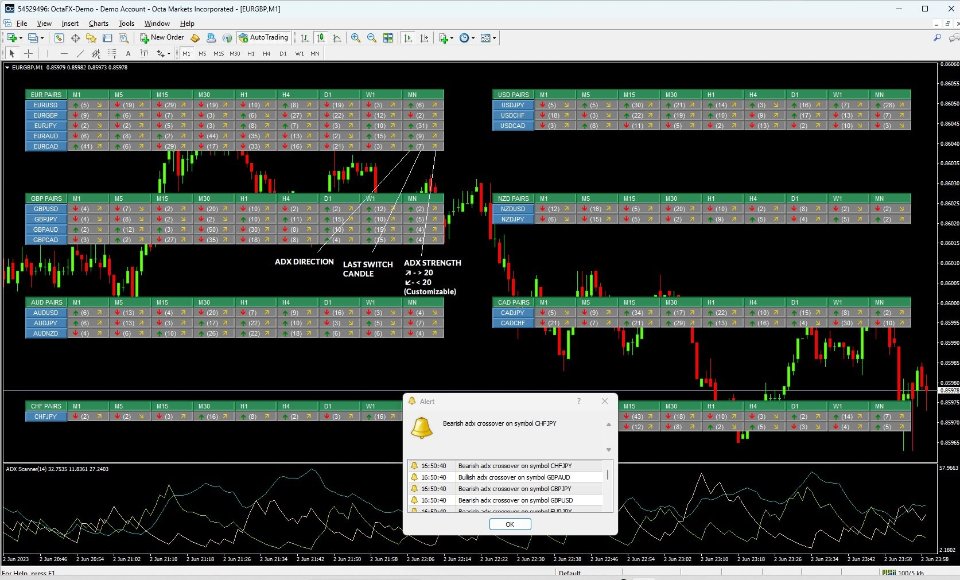
By providing a comprehensive overview of multiple pairs, the scanner allows traders to make informed decisions based on real-time data. This efficiency is particularly beneficial for those who trade across different timeframes, as it helps to identify confluence across multiple periods.
Input Settings
The MACD Divergence Multicurrency Scanner comes with a range of customizable input settings, allowing traders to tailor the tool to their specific needs. Below are the primary input parameters:
General Display Settings
| Parameter | Type | Default | Description |
|---|---|---|---|
| Label Offset % | int | 20 | Adjusts the vertical position of labels on the dashboard for improved readability. |
| Line Style | ENUM | STYLE_SOLID | Choose the visual style of lines for clarity and distinction. |
| Line Width | int | 2 | Modifies the thickness of the lines for better visibility. |
| Background Line | bool | false | Enables a background line for contrast against the chart. |
| Highlight to Move | bool | true | Enables easy selection and movement of dashboard elements. |
MACD Indicator Settings
| Parameter | Type | Default | Description |
|---|---|---|---|
| MACD Short Period | int | 12 | Defines the short-term EMA period for sensitivity in price detection. |
| MACD Long Period | int | 26 | Sets the long-term EMA period, impacting lag and trend-following capabilities. |
| MACD Signal Period | int | 9 | Determines the EMA period for the MACD signal line, crucial for generating trading signals. |
Usage Tips
To maximize the effectiveness of the MACD Divergence Multicurrency Scanner, consider the following best practices:
| Feature | Description |
|---|---|
| Pairs List | Customize the currency pairs to focus on those most relevant to your trading strategy. |
| Scan Last N Candle | Determine how many past candles to analyze for signals, adapting to market conditions. |
| Panel Height | Adjust the height of the scanner panel for optimal visibility on your screen. |
| Arrow Size | Modify the size of the arrows representing signals for enhanced visibility. |
Download Links
Ready to enhance your trading experience? Download the MACD Divergence Multicurrency Scanner now:
The MACD Divergence Multicurrency Scanner is your ally in navigating the complexities of the forex and cryptocurrency markets. With its advanced capabilities and user-friendly interface, you can efficiently identify trading opportunities and make informed decisions.