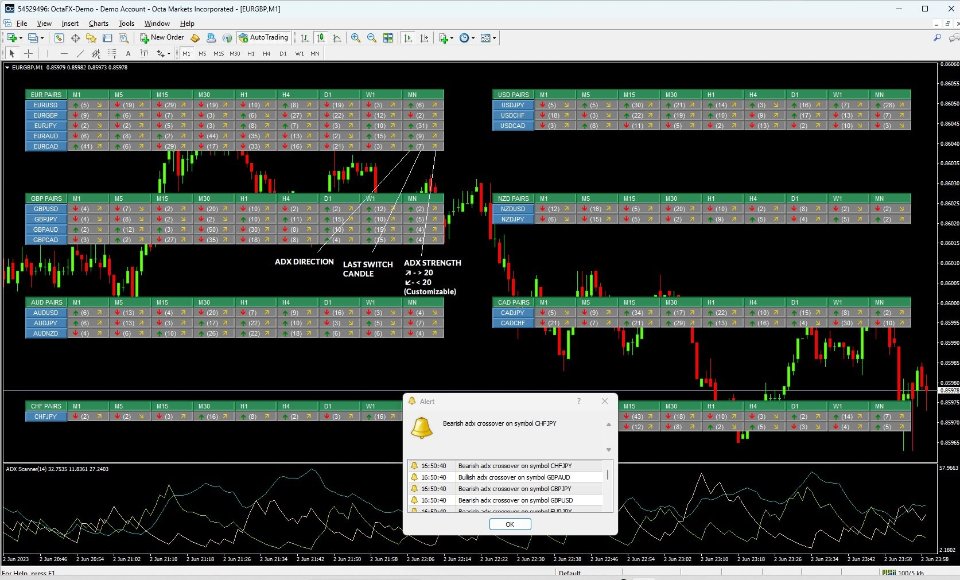
Understanding the Linear Regression Channel for MT4 and MT5
The Linear Regression Channel is an essential tool for retail forex and crypto traders, available for both MetaTrader 4 and MetaTrader 5. This indicator provides dynamic regression channels on your trading charts, helping you visualize price movements and identify potential trading signals.
Key Features
- Draws dynamic regression channels for price trend visualization.
- Alerts traders when price touches or breaks channel boundaries.
- Helps in identifying potential trend reversals or continuations.
- Facilitates improved decision-making based on statistical analysis.
How It Works
The Linear Regression Channel operates by calculating a regression line based on the closing prices over a selected number of bars. The indicator identifies potential support and resistance levels by measuring the deviations from this line, allowing traders to visualize trends and spot possible price reversals.
Utilizing statistical principles of linear regression, this tool offers traders a reliable framework for analyzing price movements. By displaying the regression line alongside its corresponding channels, it becomes easier to make informed trading decisions based on price interactions with these levels.
Input Settings
Understanding the input settings is crucial for optimizing the performance of the Linear Regression Channel. Below are the specific parameters you can adjust:
| Parameter | Type | Default | Description |
|---|---|---|---|
| Show Copyright Info | bool | true | Displays copyright information on the chart. Disable for a cleaner look. |
| Use Close Prices | bool | true | Indicates whether to use closing prices for calculations, affecting channel sensitivity. |
| Bars to Count | int | 50 | Defines the number of bars considered for regression calculations, influencing accuracy. |
Usage Tips
To maximize the effectiveness of the Linear Regression Channel, consider these best practices:
| Feature | Description |
|---|---|
| Show Copyright Info | Enables copyright display on the chart for compliance. |
| Use Close Prices | Determines if closing prices are used for calculations, impacting accuracy. |
| Bars to Count | Specifies the number of bars for regression, affecting sensitivity. |
| Allow Alerts | Enables alerts for price interactions with channel boundaries. |
| Allow Notifications | Sends notifications to mobile devices for timely updates. |
Getting Started with the Linear Regression Channel
Follow these steps to quickly set up the Linear Regression Channel:
- Download the Indicator: Get the Linear Regression Channel from the MQL5 marketplace.
- Install the Indicator: Place the file in the indicators folder of your trading platform.
- Open the Trading Platform: Launch your MT4 or MT5 platform and refresh the indicators list.
- Add the Indicator to a Chart: Drag and drop the Linear Regression Channel onto your preferred chart.
- Adjust Settings: Modify settings based on your trading strategy.
- Enable Alerts: Turn on alerts to be notified of channel interactions.
- Start Trading: Monitor price movements and act on the signals generated.
For further exploration, you may also be interested in the following product:
For installation guidance, updates, and troubleshooting, refer to the following resources:
- Installation Guide for MQL Products
- Updating Purchased MQL Products on MT4/MT5
- General Troubleshooting Guide
Explore all products: Visit Seller Page
For support inquiries, please contact: Support Contact