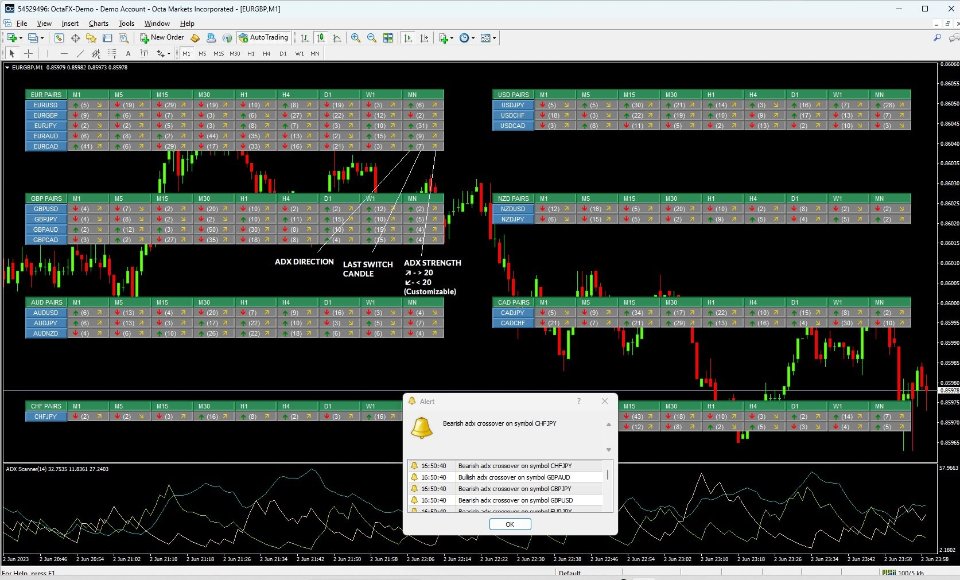
Pip Movement Alert: Stay Informed on Price Changes
The Pip Movement Alert is an essential tool for traders in the forex and cryptocurrency markets, designed to help you monitor price fluctuations effectively. Available for both MetaTrader 4 and MetaTrader 5, this indicator alerts you to significant price movements in real-time, allowing you to make informed trading decisions without the need to constantly observe your charts.
Key Features
- Real-Time Alerts: Get notified immediately when price movements reach your specified pip threshold.
- Customizable Settings: Tailor the alert parameters to suit your trading strategy.
- Multiple Notification Options: Choose from pop-up alerts, push notifications, or email alerts.
- Simple Setup: Easy to install and configure within your trading platform.
How It Works
The Pip Movement Alert functions by tracking price changes in selected currency pairs and sending alerts when the price moves by a user-defined number of pips. This allows traders to focus on significant market shifts that could impact their trading strategies.
Every time the price changes, the indicator compares the new price against the last recorded alert price. Alerts are only triggered when the price movement meets or exceeds the defined pip distance, ensuring that you receive relevant notifications.
Input Settings
Below are the specific input settings you can adjust to optimize your use of the Pip Movement Alert:
| Parameter | Type | Default | Description |
|---|---|---|---|
| Pips to Alert | double | 10 | This parameter sets the minimum pip movement needed to trigger an alert. Adjust it to focus on price changes that are significant to your trading strategy. |
Alert Management Settings
In addition to the pip distance, you can also manage how alerts are delivered:
| Parameter | Type | Default | Description |
|---|---|---|---|
| Alert Only Once | bool | false | This option allows you to receive an alert only once for each significant price movement, helping to reduce the number of notifications you receive. |
Usage Tips
To maximize the effectiveness of the Pip Movement Alert, consider the following best practices:
| Feature | Description |
|---|---|
| Pairs List | Select the currency pairs that align with your trading strategy and focus your alerts accordingly. |
| Pips to Alert | Adjust the pip threshold to filter out minor fluctuations and concentrate on more significant price movements. |
| Allow Alert | Enable or disable alerts based on your preferences to avoid unnecessary notifications. |
| Only Once | Opt to receive a single alert per price movement to minimize alert fatigue during high volatility. |
Quick Start Guide
Getting started with the Pip Movement Alert is straightforward. Follow these steps to set it up in under five minutes:
- Install the Indicator: Download and install the Pip Movement Alert indicator in your trading platform.
- Open the Settings: Access the indicator settings to customize your preferences.
- Set Your Pairs: Input the currency pairs you want to monitor in the pairs list.
- Define Pip Distance: Specify the number of pips that will trigger an alert.
- Enable Alerts: Turn on alerts, notifications, and email options as desired.
- Apply the Indicator: Attach the indicator to your chart for real-time monitoring.
- Monitor Alerts: Stay alert for notifications regarding significant price movements.
Download Links
Ready to enhance your trading experience? Download the Pip Movement Alert:
Conclusion
The Pip Movement Alert is a valuable asset for traders seeking to stay updated on critical price changes. By customizing your alert settings and utilizing this indicator, you can improve your trading strategy and responsiveness to market movements.